Overview
A company seal, also known as a corporate seal or common seal, is a tool used by companies to authenticate official documents or agreements.
In the past, the use of a company seal was a common practice, and it was often required by law for companies to use them on important documents such as contracts, deeds, and share certificates. However, in many countries, the use of a company seal is no longer required by law, and its use has become less common.
How to add a Company Seal
| From the Main Toolbar, go to Company. |
|
| Select the Company from the list. |
|
| Select Company Info |  |
| Select Company Info + and Seal Register Entries | |
|
|
|
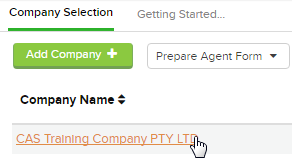
Report Instructions
| From the Main Toolbar, go to Reports |  |
| Select Register of Seal Entries Report | 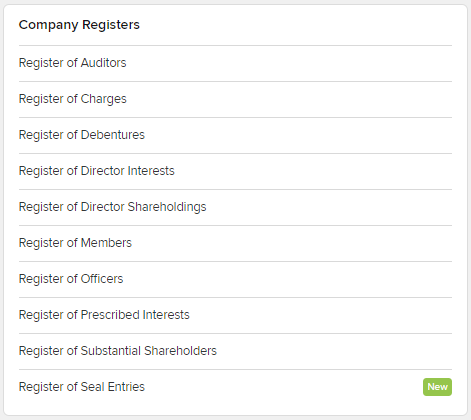 |
CAS 360 will now allow you to set Report Filters.
| Filter | Explanation |
|---|---|
| Jurisdiction |
Filter the company list by jurisdiction. |
| Agent |
Filter the list of companies on the Agent selected for the company from the General Details screen. |
| Report Date | Set a Date to be displayed on the report. |
| Label |
Set a Company Label as a filter when preparing the Company Listing Report |
| Download Options |
By selecting the option "Download as a combined file," you will generate a single PDF or Word Report. |
To generate the report Click 
The Company Report can now be exported as a PDF or Word document.